
How Do You Stop a Sofa Listing From Selling Fabric and Layout Combinations You Cannot Ship?
Build an allowed-combination matrix from the supplier’s quotation, link every marketplace variant to factory codes and a carton set, and retire variants by status instead of deleting them.

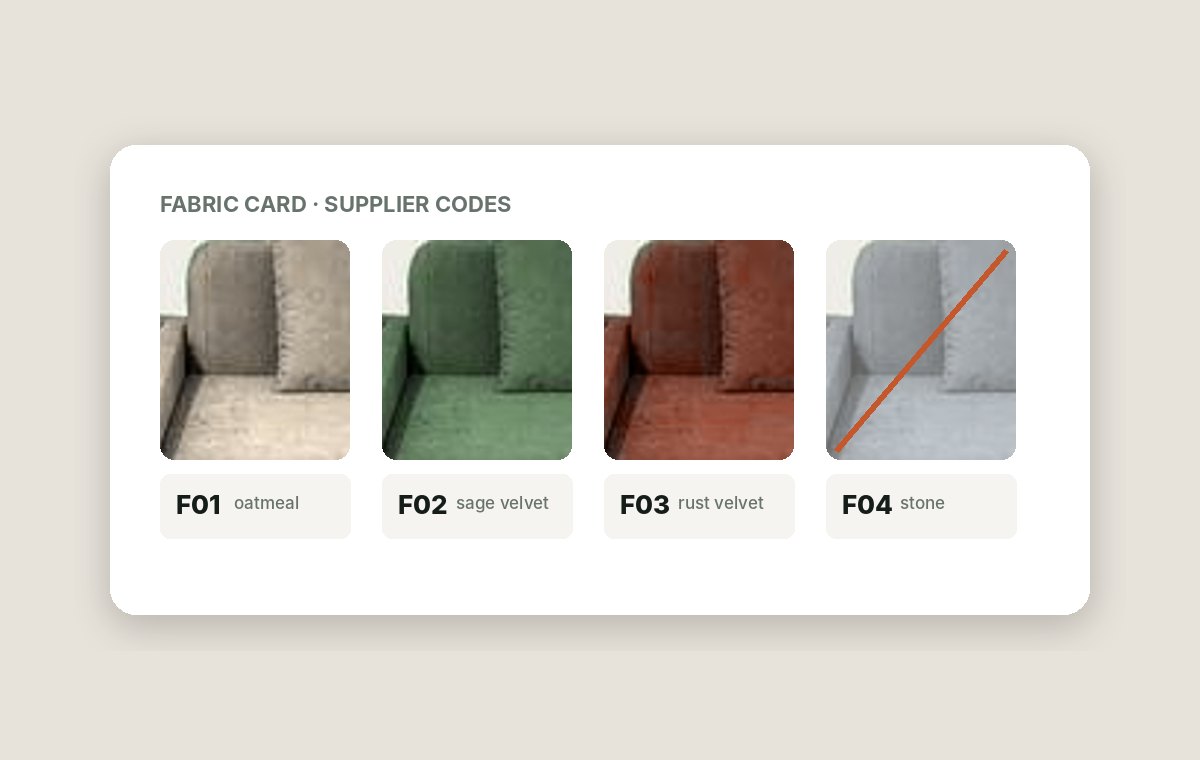

Sofa listings usually go wrong at the variant step. Fabrics and layouts are each correct on their own, but the listing tool multiplies them into combinations that nobody quoted. Content on Xiaohongshu and Zhihu shows the same pattern from both ends: operators describe SKU tools that generate every combination by default, and shoppers post about sofas arriving in a different size or version from the one they ordered.
The practical fix is to work from the supply side. Record which layout-and-fabric combinations the factory has confirmed, give each one a status, and generate marketplace variants only from that record. Each variant then carries the factory model, module codes, fabric code, carton set and quotation version that make it shippable.
Why does listing every fabric in every layout create variants you cannot ship?
Most listing tools build variants by multiplying option lists. Enter four fabrics and five layouts, and the tool creates twenty variants automatically. That is how SKU generators are designed: they produce the full set of combinations, and the seller is expected to edit the list afterwards. Many sellers never do. For small products the extra variants mainly tie up stock planning. For sofas, they become orders that cannot be fulfilled.
With compressed sofas the problem usually surfaces late. The customer has already paid when someone discovers that the fabric was never approved for the chaise module, or that the layout belongs to an older quotation. The customer does not see a data error. They see a sofa that is late, swapped or different from the listing. Shoppers already post about sofas arriving in a size other than the one they ordered, and every post like that lands on the brand rather than the spreadsheet.

The fix is to reverse the starting point. Do not begin with the option lists and remove what fails. Begin with the combinations your supplier has confirmed, and let only those become variants.
Field source note. A Zhihu developer article explains that SKU lists are generated as the full permutation of every option, and a Xiaohongshu operations guide warns that not every attribute needs to be combined. A Xiaohongshu shopper post shows how a size mismatch reaches the customer as a wrong product. Sources 01, 02 and 06.
Where do invalid fabric-and-layout combinations come from?
A fabric and a layout can each be available on their own and still fail together. The usual causes are:
- Fabric not approved for a module. Pile direction, pattern repeat or a curved panel can rule a fabric out of one module even when it works on straight seats.
- Layout outside the current quotation. The factory priced the 3-seater and the L-shape, but the listing also offers a U-shape assembled from the same modules.
- Fabric quantity or colour minimums. A colour may be quoted only for core layouts, or only above a certain order quantity.
- Different carton sets. Each layout ships as its own set of compressed cartons, so a new combination can mean new carton counts, labels and freight data.
- Discontinued colours. A fabric colour ends, but the variant stays live because nobody is responsible for removing it.
Merchants who sell configurable furniture see the same pattern. Each combination has its own price, stock, lead time and packed volume. Once options multiply, those figures can no longer be inferred from the parts. They have to be confirmed for the combination itself.
Field source note. A Xiaohongshu post on configurable dining sets lists price, stock, lead time and packed volume as values that change with each combination. The five causes above come from Yongform’s own production scope rather than from social content. Source 03.
How do you build an allowed-combination matrix?
The core document is a single matrix. Rows are layouts, identified by their module codes. Columns are fabric codes. Each cell records one status and the quotation it comes from. Keep the status list short so nobody has to interpret it:
- Sellable: quoted, approved and normally available.
- Made to order: quoted, but with a longer or separately stated lead time.
- Not offered: never quoted, or ruled out technically.
- Retired: previously sold and now closed to new orders.

| Layout (module codes) | Fabric F01 | Fabric F02 | Fabric F03 velvet | Fabric F04 |
|---|---|---|---|---|
| Console, chaise right (A1+CS+C1+CH-R) | Sellable · Q-R3 | Sellable · Q-R3 | Made to order · Q-R3 | Retired |
| Console, chaise left (CH-L+C1+CS+A2) | Sellable · Q-R3 | Made to order · Q-R3 | Not offered | Retired |
| Curved console (CV-L+CS+CV-R) | Sellable · Q-R3 | Made to order · Q-R3 | Not offered | Retired |
| U-shape (CH-L+C1+C1+CH-R) | Not offered | Not offered | Not offered | Not offered |
Only Sellable and Made-to-order cells become variants. If your channel lets you disable a choice, disable the option instead of letting the order fail at checkout. Product teams who build SKU selectors make the same point: if a combination cannot be bought, it should not be selectable. In the example, sixteen theoretical combinations become nine variants, and that number came from the factory rather than from the listing tool. When a launch needs fewer variants, choose them by expected demand and leave the rest as Not offered for now.
Download the variant matrix and register CSV
Field source note. A Zhihu developer write-up on a shop’s SKU selector disables any option that cannot reach a buyable SKU, and a Xiaohongshu operations guide recommends launching with in-demand combinations rather than all of them. Sources 01 and 07.
How should each variant link to factory codes and a quotation?
The matrix shows what is allowed. The variant register records how each sellable variant connects to what the factory will ship. Give every live variant one row:
| Field | What it holds |
|---|---|
| Store SKU | The code your channel uses for the variant |
| Factory model | The model code on the quotation |
| Module codes | Every module in the sellable set |
| Fabric code | The supplier’s fabric and colour code, not a marketing colour name |
| Carton set | Number of cartons and their carton IDs for this variant |
| Quotation version | The quote revision that confirmed this combination |
| Status | Same status as the matrix cell |

Treat the sellable sofa as a set, not as a physical item. Cross-border operators who sell multi-piece bundles keep physical stock at the level of the items that actually ship and treat the bundle as a virtual SKU linked to those items. For compressed sofas, the items that ship are the cartons. One layout-and-fabric variant links to a defined group of carton SKUs. That way warehouse receipts, which are counted by carton, still match sales, which are counted by set.
A structured store SKU helps people read the register, for example segments for model, layout and fabric. Some teams build SKU codes in fixed positions for exactly this reason. Still, a readable store SKU never replaces the factory codes in the same row. When the quotation is revised, every variant that references the old version should be flagged for review rather than carried forward silently.
Field source note. A Zhihu article on multi-piece bundle SKUs separates physical stock from virtual bundle SKUs, and a Zhihu answer on SPU and SKU design shows SKU codes built from fixed attribute positions. Sources 08 and 09.
How do you retire a sofa variant without losing its history?
When a fabric is discontinued, the quickest response is to delete the variant. That usually causes trouble later. Developers who maintain SKU systems point out that a delete-and-recreate approach generates new IDs. Anything that depended on the old identity, such as order records, after-sales cases and reviews, can lose its link. Give each variant a stable key built from layout and fabric, and change its status to Retired instead of deleting it.
Marketplace sellers who removed child variants by mistake describe rebuilding the parent-child structure afterwards from whatever records still existed. Avoid needing that recovery. Before you retire a variant, check for open orders and stock still in transit, decide whether those orders are fulfilled or offered an alternative, and record that decision against the variant row.
Field source note. A Zhihu developer review explains how delete-and-recreate saving regenerates SKU IDs, and a Zhihu seller answer describes rebuilding deleted marketplace child variants from inventory records. Sources 07 and 10.
What should you check in each channel’s variation rules?
Marketplaces define variations narrowly. Grouping products that are not true variations of one item under a single parent can lead to split listings or policy action. Keep different sofa models on separate listings even when they share fabrics. Variation themes, field names and limits change, so confirm them against each channel’s current template at the time you load. This guide does not list them.
On your own store, the matrix can drive the shopping experience as well as the data. Store builders working with large catalogues suggest filters, such as layout and seat width, when there are many SKUs, and a simple comparison table when there are only a few. Either way, shoppers only see options that exist.
Field source note. A Xiaohongshu cross-border post warns against merging unrelated products into one variation family, and a Xiaohongshu store-building post recommends filters for large catalogues and comparison tables for small ones. Channel rules themselves should be checked in each platform’s current documentation. Sources 04 and 05.
What should a pre-launch variant check include?
- Every live variant has a matching Sellable or Made-to-order cell in the matrix.
- Every variant row cites the current quotation version.
- Fabric codes in the listing match supplier codes, not only colour names.
- Carton sets are recorded for each layout, so warehouse and customer-service data line up.
- Retired variants are closed to new orders, and their open orders have an owner.
- Channel variation fields have been checked against current templates.
Be careful when adding a new option dimension, such as a leg finish. A new attribute does not add a few variants. It multiplies every existing combination, and any stock or status set at the old level stops being valid. Treat it as a new revision of the matrix: confirm the new combinations with the supplier first, then generate variants from the updated matrix.
Field source note. The Zhihu SKU-generator article notes that adding a new attribute group invalidates every existing combination and the stock already configured against it. Source 06.
Submit Your E-Commerce Sofa Brief
Send the layouts, fabrics and channels you plan to list. Yongform will confirm which combinations can be quoted, the module codes and carton set for each, and the quotation version your variant register should reference.
Submit your e-commerce briefPut it into practice with Yongform